> ## Documentation Index
> Fetch the complete documentation index at: https://docs.onsomble.ai/llms.txt
> Use this file to discover all available pages before exploring further.
# Agency onboarding
> Set up an agency account and get the foundations in place before you onboard your first client.
An **agency account** is built for managing a portfolio of client Sites. It differs from a business account in how the whole app is organised:
* Your home screen is a **client portfolio**, not a single business dashboard
* Each client gets its own workspace, and their Sites live inside it
* Billing rolls up to the agency level, not to each individual client
This page covers getting the agency itself set up. For the end-to-end first-run walkthrough, see the [agency quickstart](/getting-started/quickstart-agency).
 ## Creating the agency account
When you sign up at [app.onsomble.ai](https://app.onsomble.ai), the first question is **"Who are you setting up Onsomble for?"** Choose the option for **agencies managing AI discovery across many clients**.
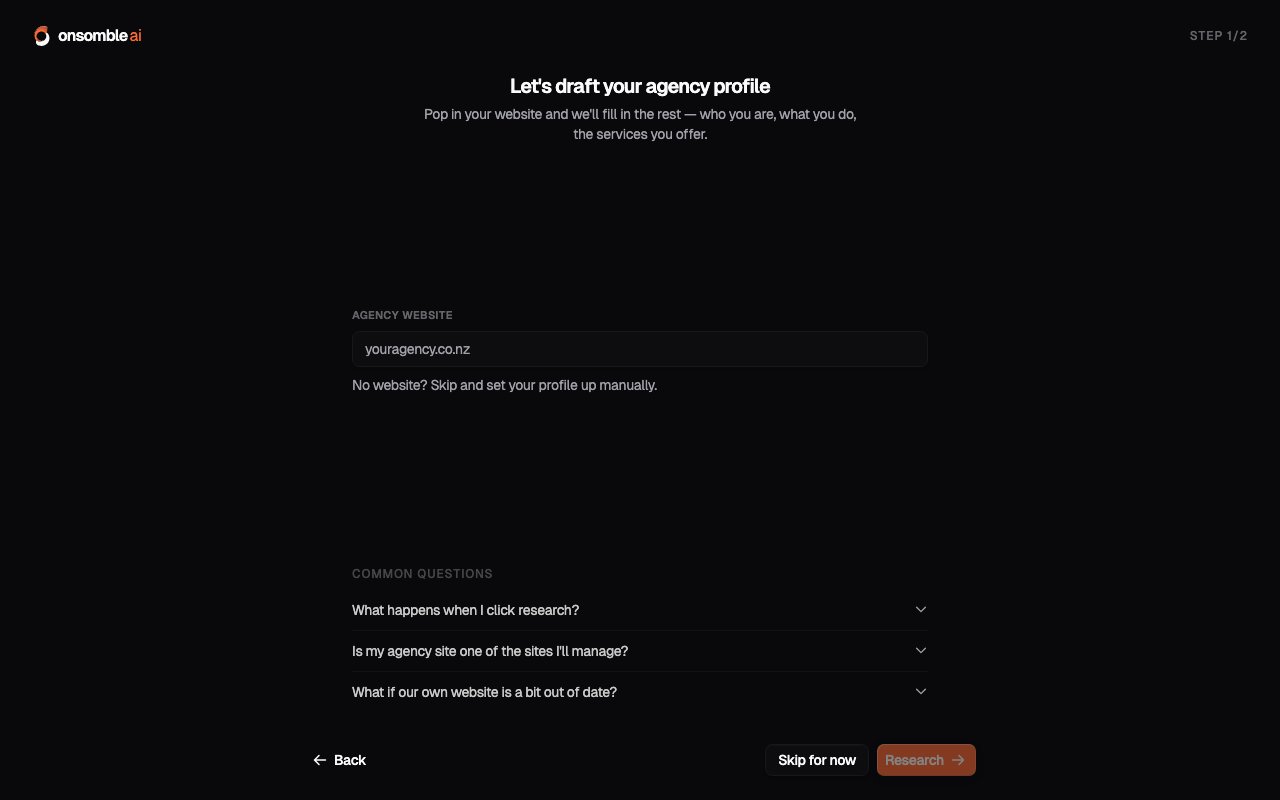
Onsomble then asks for your agency's website, researches it, and presents an editable profile of your agency: who you are, what you do, and the services you offer. Review it, correct anything that's off, and confirm. You'll land in your client portfolio, ready to add clients.
Signed up as a business account by mistake? You can switch freely until you
add your first client or site. After that, contact
[support@onsomble.ai](mailto:support@onsomble.ai) and we'll move you over.
## What to set up before onboarding clients
None of this is blocking (you can add your first client immediately), but a short planning session pays off by the fifth or sixth client:
* **A client naming convention.** Use each client's business name verbatim so the portfolio stays scannable as it grows and any colleague can find any client.
* **A scan cadence default.** Decide what cadence you'll run for active versus lower-touch clients, so per-client setup is a decision you've already made. See [Schedule](/scans/schedule).
* **A prompt strategy habit.** For clients in similar industries you'll reuse similar prompt structures: the [prompt strategy wizard](/scans/prompt-library#the-prompt-strategy-wizard) makes regenerating a proven structure for a new client fast.
## What's next
From a client's website URL to their workspace in a couple of minutes.
Work efficiently across many clients: the portfolio view and triage habits.
## Creating the agency account
When you sign up at [app.onsomble.ai](https://app.onsomble.ai), the first question is **"Who are you setting up Onsomble for?"** Choose the option for **agencies managing AI discovery across many clients**.
Onsomble then asks for your agency's website, researches it, and presents an editable profile of your agency: who you are, what you do, and the services you offer. Review it, correct anything that's off, and confirm. You'll land in your client portfolio, ready to add clients.
Signed up as a business account by mistake? You can switch freely until you
add your first client or site. After that, contact
[support@onsomble.ai](mailto:support@onsomble.ai) and we'll move you over.
## What to set up before onboarding clients
None of this is blocking (you can add your first client immediately), but a short planning session pays off by the fifth or sixth client:
* **A client naming convention.** Use each client's business name verbatim so the portfolio stays scannable as it grows and any colleague can find any client.
* **A scan cadence default.** Decide what cadence you'll run for active versus lower-touch clients, so per-client setup is a decision you've already made. See [Schedule](/scans/schedule).
* **A prompt strategy habit.** For clients in similar industries you'll reuse similar prompt structures: the [prompt strategy wizard](/scans/prompt-library#the-prompt-strategy-wizard) makes regenerating a proven structure for a new client fast.
## What's next
From a client's website URL to their workspace in a couple of minutes.
Work efficiently across many clients: the portfolio view and triage habits.