> ## Documentation Index
> Fetch the complete documentation index at: https://docs.onsomble.ai/llms.txt
> Use this file to discover all available pages before exploring further.
# Models
> Choose which AI assistants your scans query.
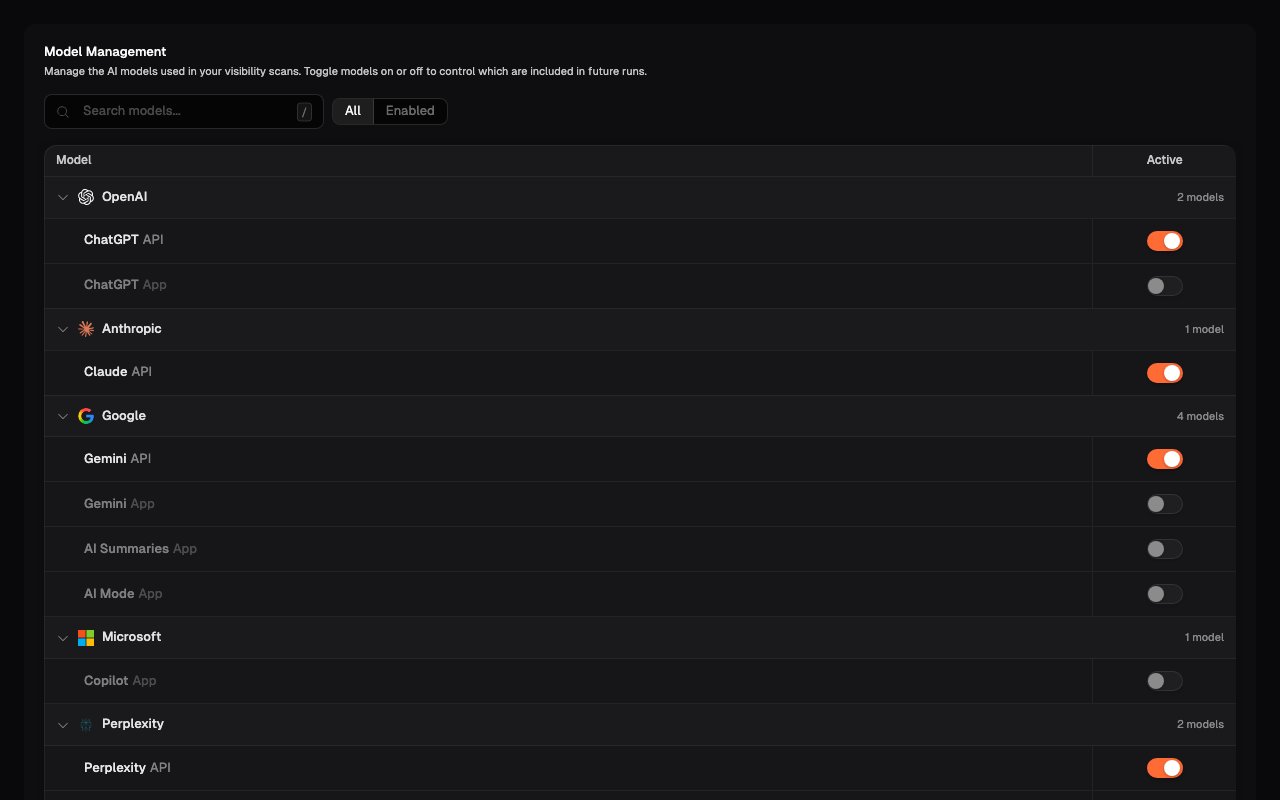
The **Models** page, under **Scan Settings**, controls which AI assistants each scan queries. Onsomble supports the major assistants (**ChatGPT** from OpenAI, **Claude** from Anthropic, **Gemini** from Google, and **Perplexity**), and each can be enabled or disabled per Site.
 ## Why model choice matters
Each model has different strengths, different sources, and different blind spots. A business can be prominent in Perplexity's answers and invisible in ChatGPT's. Scanning a single model tells you about that model; scanning several tells you about your market.
Running across all supported models gives the fullest picture. If your plan covers fewer models per scan, prioritise the assistants your customers actually use, and be aware that a single-model view can mislead.
## Managing models
Enable or disable models with the toggle beside each one. Changes apply from the next scan; past results are preserved, and trend views mark configuration changes so a model being added or removed doesn't read as a market shift.
Every enabled model multiplies the size of a scan (every active prompt runs against every enabled model), so model choice is also a lever on scan size and duration.
Model behaviour shifts as providers release updates. If your numbers move
sharply on one model while staying flat on the others, suspect a model update
before suspecting your own changes, and check whether competitors moved the
same way.
## What's next
Decide how often scans run.
Compare results per model across every insights view.
## Why model choice matters
Each model has different strengths, different sources, and different blind spots. A business can be prominent in Perplexity's answers and invisible in ChatGPT's. Scanning a single model tells you about that model; scanning several tells you about your market.
Running across all supported models gives the fullest picture. If your plan covers fewer models per scan, prioritise the assistants your customers actually use, and be aware that a single-model view can mislead.
## Managing models
Enable or disable models with the toggle beside each one. Changes apply from the next scan; past results are preserved, and trend views mark configuration changes so a model being added or removed doesn't read as a market shift.
Every enabled model multiplies the size of a scan (every active prompt runs against every enabled model), so model choice is also a lever on scan size and duration.
Model behaviour shifts as providers release updates. If your numbers move
sharply on one model while staying flat on the others, suspect a model update
before suspecting your own changes, and check whether competitors moved the
same way.
## What's next
Decide how often scans run.
Compare results per model across every insights view.