

The four inputs
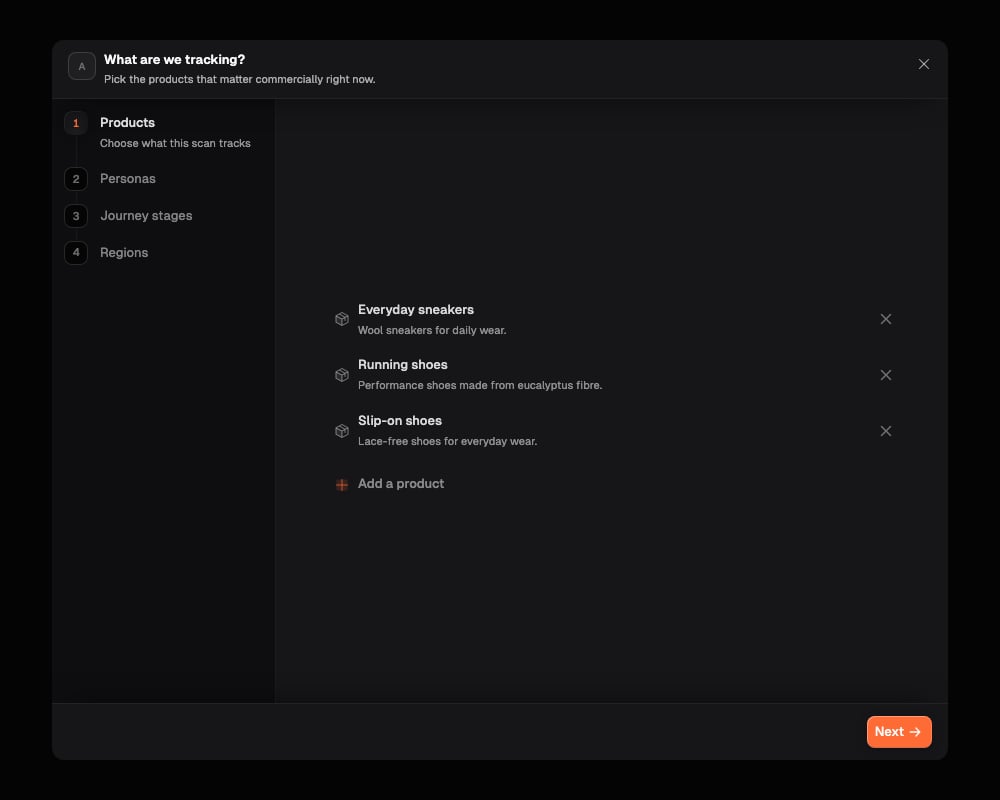
The wizard asks for four things, in this order.Products
Onsomble suggests the products or services worth tracking, drawn from your business profile. Remove anything that isn’t commercially relevant right now, and add anything missing.Personas
Onsomble suggests the customer groups who actually buy from you. Confirm the list or adjust it: this decides who the questions sound like they’re coming from.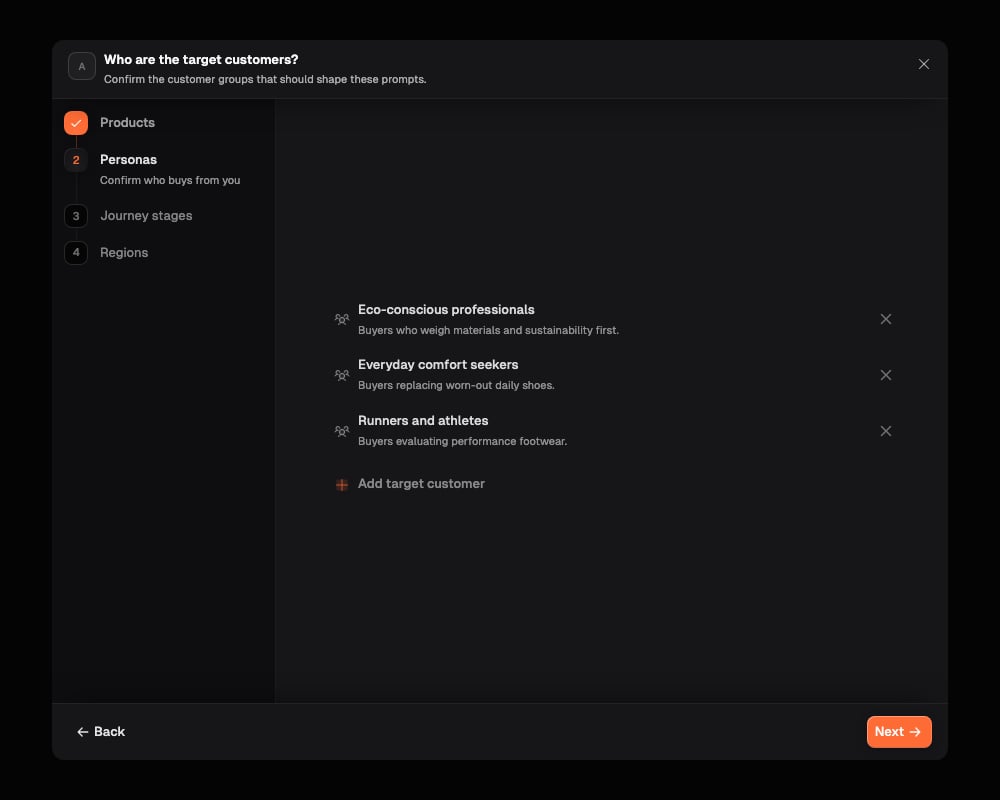
Journey stages
You choose which stages of the buying journey matter for this scan: someone just starting to research, someone weighing up named options, someone ready to decide. Onsomble doesn’t suggest these for you, and they’re the biggest factor in how many prompts you end up with.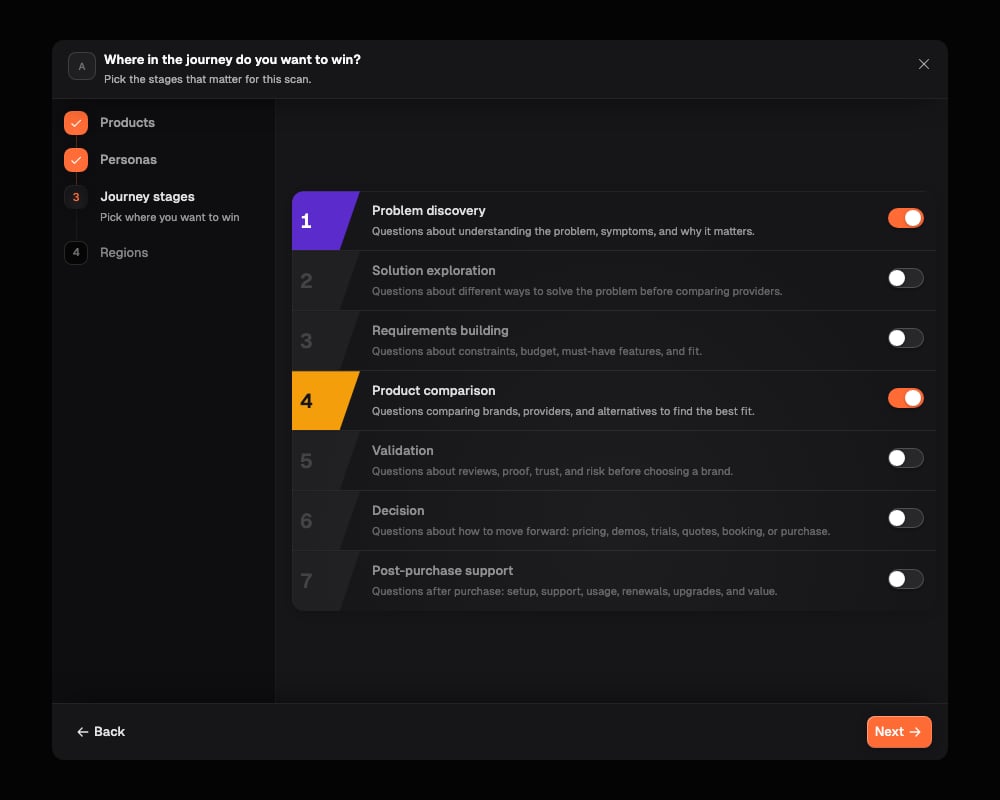
Regions
Choose whether the prompts apply globally or to specific markets.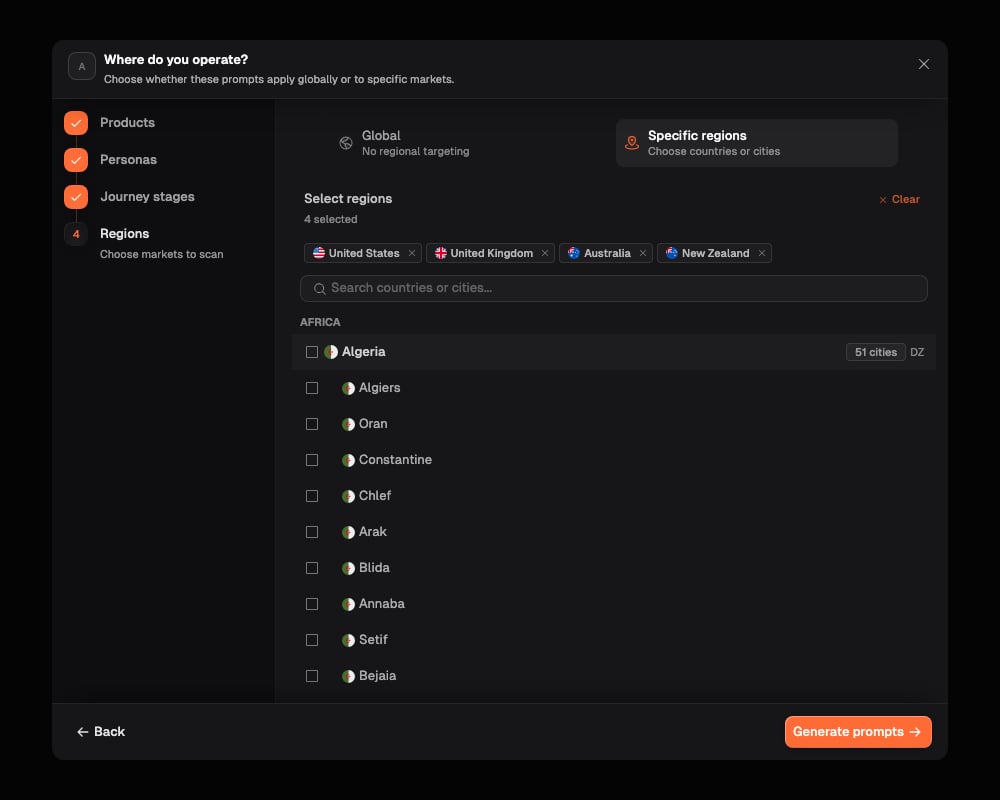
How many prompts you get
You don’t type in a number. It follows from the journey stages you picked: the more stages you choose, the bigger and more varied your prompt set gets, and each stage you pick gets a fair share rather than one stage crowding out the rest. This is deliberate. Your prompt set should reflect what you actually want to measure, not a number handed down by your plan. Whether the set fits your plan’s scan allowance is checked separately, later, when you review and launch the scan. See The scan setup flow for what happens if it doesn’t fit.What Onsomble does behind the scenes
For each question it’s about to write, Onsomble drafts a few versions, checks that each one actually reads like something a real customer would ask and correctly mentions (or leaves out) your brand as intended, then keeps the strongest version. You only ever see the finished result: a clean, ready-to-review list, not the drafts that didn’t make the cut.How categories are decided
Category and journey stage aren’t the same thing, even though they’re related. The journey stage is chosen while a question is being planned. The category is decided afterwards, by reading the finished question on its own:- Comparison: the question compares you against named competitors.
- Recommendation: an open question from someone who hasn’t chosen yet, like “what’s the best option for X”.
- Specific: a question about a named brand, product, plan, or a concrete scenario.
- General: broader, category-level information or guidance rather than a decision moment.
Regenerating
Regenerating runs through the whole wizard again and produces a new set. There’s no way to regenerate just one category or one stage on its own. Once it’s done, you choose what happens next:- Add the newly generated prompts (the default) — added alongside what’s already in your library.
- Add specific ones you select — pick only the prompts worth keeping from the new set.
- Replace all existing prompts — clears the current set and starts fresh with the new one.
Adding or editing prompts by hand
Use Add Prompt to write one yourself: enter the question, pick a category, and optionally add tags and regions. Once saved, a hand-written prompt works exactly like a generated one everywhere in Onsomble. To change an existing prompt’s wording, category, tags, or regions, edit it directly from the Prompt Library.What’s next
Prompt Library
Manage, edit, and tag the prompts a Site’s scans actually run.
The scan setup flow
Where the prompt strategy wizard fits into setting up a scan.