

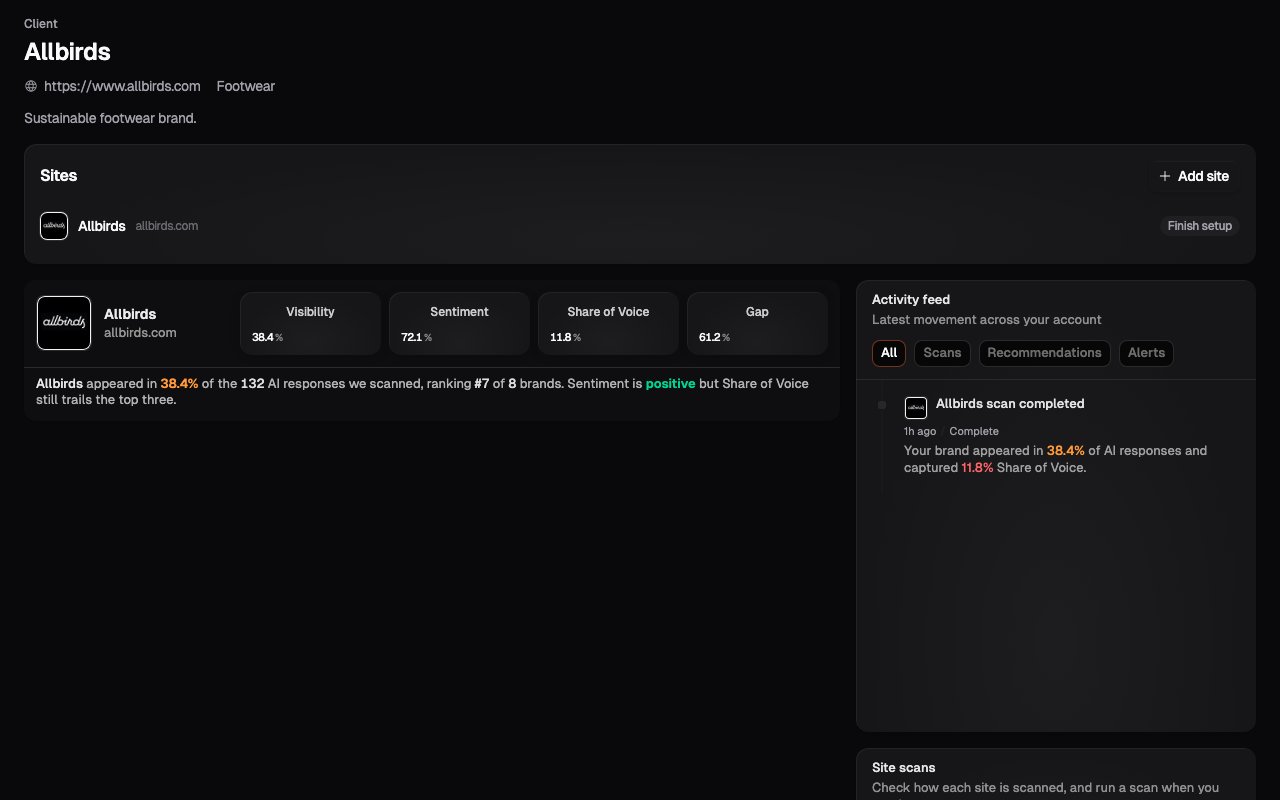
What’s in the workspace
- The client’s Sites: each with its headline numbers (Visibility, Share of Voice, Sentiment) so you can see how the client is doing without opening every dashboard
- Recent activity: completed scans and other events for this client
- Add Site: new Sites for this client are created here, not from the platform level
Navigating client-first
The sidebar and breadcrumbs carry client context with you:- At the portfolio level, the sidebar lists your clients.
- Inside a client workspace, the sidebar shows that client’s Sites.
- Inside one of their Sites, you get the full site-level navigation (Insights, Scan Settings, Site Settings) exactly as a business account sees it, with the breadcrumb showing which client you’re working in.
Multi-brand clients
A client with several brands or websites gets several Sites inside the one workspace. The rule is the same as everywhere in Onsomble: one website or brand, one Site. The workspace keeps them grouped under the client while their scan data stays cleanly separated.What’s next
Adding a site
The site creation flow you’ll run inside each client’s workspace.
Portfolio management
Triage across all your clients at once.