

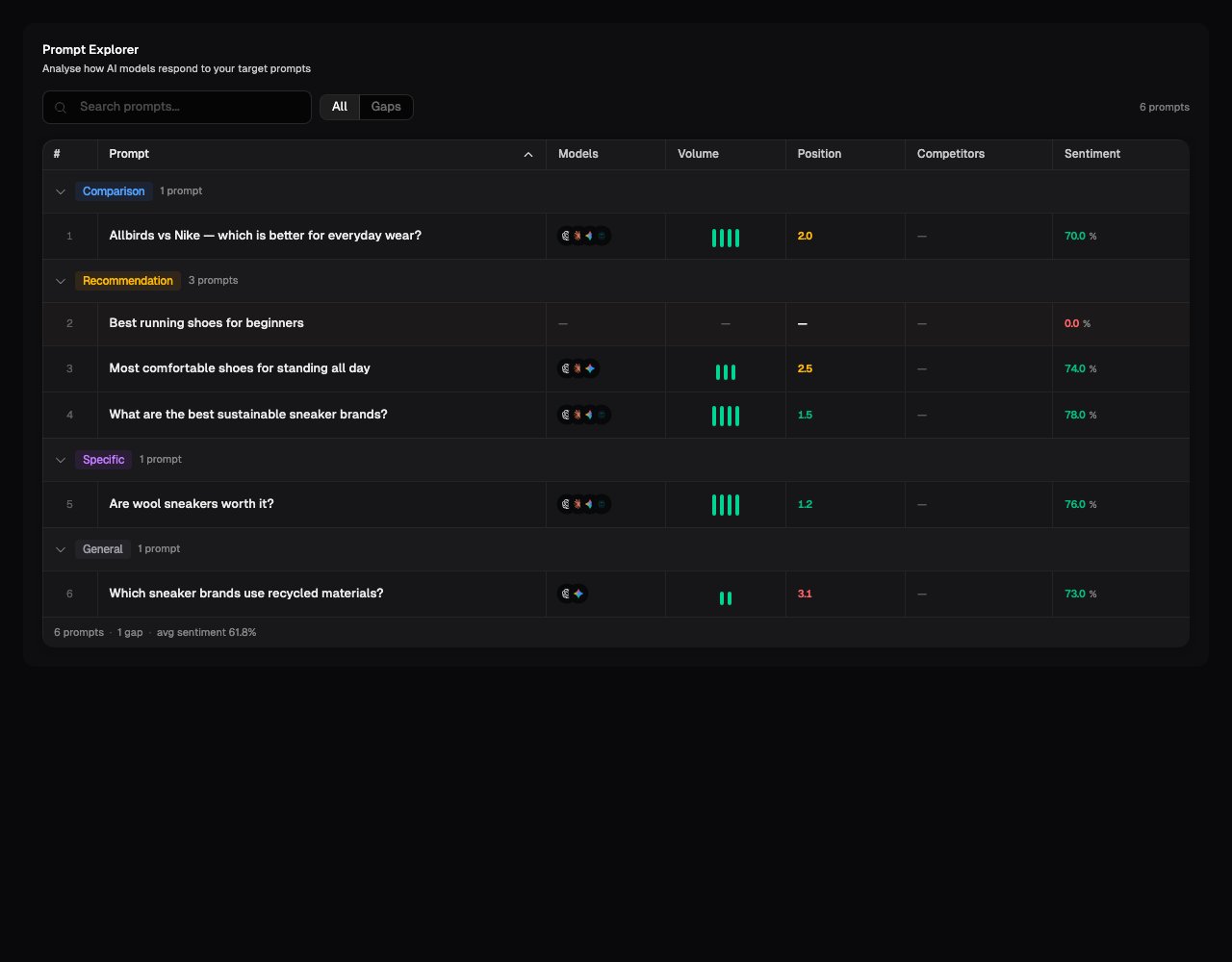
What the table shows
Each row is one prompt from your Prompt Library. Its results are combined across the models and regions included in the current view. See Understanding metrics for the calculations and data limits behind the prompt-level values.Gaps is a view of prompts where your brand was not mentioned. It is not a
separate score. Use it to find questions where competitors or other sources
appeared but your brand did not.
Understanding changes
Where a change is shown, it compares the current result with the previous completed scan. The change is measured in points, not as a percentage increase. For example, a move from 40 to 46 is an increase of 6 points. It shows that the measured result changed; it does not prove what caused the change.Read the responses behind a prompt
Use the response or trend action beside a prompt to inspect its underlying results. Look for:- Absence: If your brand is missing, note which alternatives are included and what they are known for.
- Position: Check whether your brand appears as a leading option or only as a passing mention.
- Framing: Compare the words used for your brand and its competitors. A mention can still be weak if it omits an important strength.
- Inaccuracies: Record outdated prices, products, locations, or claims that need correction.
- Omissions: Look for details that distinguish the business but are consistently missing from the answers.
A useful way to investigate a weak result
- Filter to the model, region, or prompt type you care about.
- Open a prompt with a missed mention, poor position, or negative sentiment.
- Read several responses rather than relying on one example.
- Compare the claims and sources used for your brand and its competitors.
- Turn the repeated pattern into a specific action, then compare it with later scans.
Prompt Results reflects only the prompts, models, regions, and scan dates in
scope. It does not measure every question a customer could ask, and AI answers
can vary between runs.
What’s next
Recommendations
Review suggested actions based on patterns found in the scan.
Prompt Library
Check whether your prompt set covers the questions that matter.