

- Clients: a client brings all of its Sites, including Sites you add to that client later.
- Sites: add a single Site when you want that Site without the rest of its client.
- Topics: a topic is research into a public subject, scanned like a Site but with no website of its own. A topic can belong to a client or stand on its own. A client’s topics are only in a portfolio when you add them yourself.
Build a portfolio
1
Open the builder
On the Portfolios page, click Add portfolio.
2
Name it
Give the portfolio a name and, if it helps, a description of what brings the
items together.
3
Add clients, Sites and topics
Switch between Clients, Sites and Topics above the list, and
search to find what you want. Drag a card into the folder, or click the plus
on the card. A portfolio holds up to 100 items.
4
Create it
Click Create portfolio.
Add items from Explore
You can also add items to portfolios from the Explore page, without opening the builder.1
Select what you want
On Explore, tick the clients, Sites or topics to add. You can mix all
three.
2
Open the Portfolios menu
Click Portfolios in the toolbar, beside the count of selected items. The
menu lists your portfolios, with a tick beside each one that already holds
your selection.
3
Add or remove
Click a portfolio to add the selection to it, or click a ticked portfolio to
take the selection out. To start a new portfolio from the selection, click
Create portfolio.
Read the Portfolios page
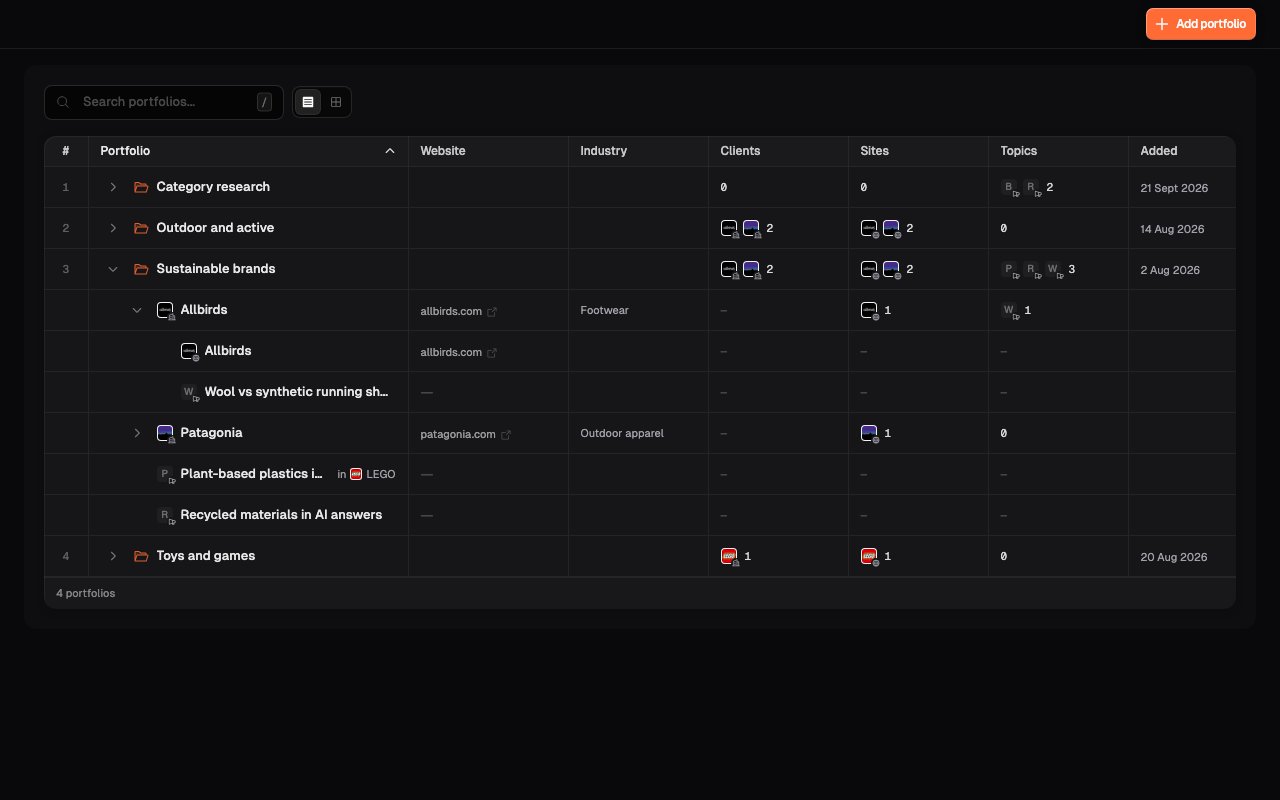
Switch between list view and card view with the toggle beside the search box. List view: each portfolio is a row with its counts. Open a portfolio to see what’s in it:- A client shows with its Sites and topics nested underneath.
- A Site or topic you added on its own shows as its own row. If it belongs to a client that isn’t in the portfolio, the row names that client.
- Clients: the clients in the portfolio.
- Sites: every Site of those clients, plus Sites added on their own. A Site counts once, even if it’s in the portfolio through its client and on its own.
- Topics: the topics added to the portfolio.
Portfolio management
Triage habits for working across many clients.
The client workspace
Where each client’s Sites and day-to-day work live.